Secure document processing and data handling
The documents you send to PdfParse often carry invoices, identity data, contracts and medical bills. This page explains how files travel, how long they stay, who can reach them, and the controls each plan gives you.
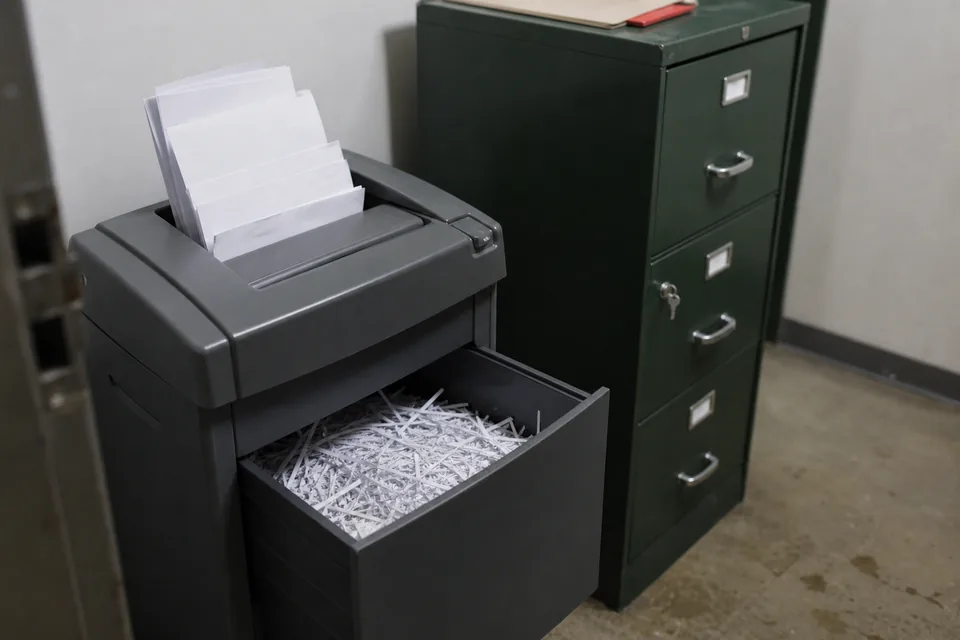
What happens to a file you send
A file arrives over an encrypted connection, is parsed, and the result is returned to you in the response or by webhook. The file and its outputs are then kept only for the retention period of your plan, or not at all in zero retention mode. Files are never used to train models, and they are never shared with other customers.
- Encrypted in transit with TLS on every request
- Encrypted at rest while stored
- Kept for your plan retention period, then deleted
- Deletable at any time through the API or the web app
- Never used to train models
Encryption in transit and at rest
Every call to https://api.pdfparse.ai/v1 and every page of the web app is served over TLS. Requests over plain HTTP are refused, not redirected, so an API key is never sent in clear text by mistake. Stored files, parsed outputs and backups are encrypted at rest on our cloud infrastructure.
Webhooks are signed. Each delivery carries a PdfParse-Signature header, an HMAC SHA256 of the body made with your webhook secret, so your endpoint can reject any request that did not come from PdfParse.
Retention that follows your plan
How long a file and its outputs stay depends on your plan. Shorter retention means less data at rest and less to protect.
| Plan | Retention of files and outputs |
|---|---|
| Starter | 7 days, then deleted |
| Growth | Configurable retention up to 30 days |
| Scale | Configurable retention, plus zero retention mode |
| Enterprise | Configurable retention, plus zero retention mode |
Files dropped into the demo on our website are parsed in your browser and never uploaded.
Zero retention mode
On Scale and Enterprise you can switch on zero retention mode for a project or for a single API key. In this mode the file and its outputs are deleted once the result is delivered to you, in the response or by webhook. Only metadata needed for billing stays, such as the job id, the time and the number of pages.
Deletion through the API
You can delete a job and everything stored with it at any moment with DELETE /v1/jobs/{id}, or from the job list in the web app. Deletion removes the file and its outputs. Pages already parsed still count as usage in the billing period, because deleting a document never returns pages.
Your files never train models
PdfParse uses AI models to read layout, tables and scanned pages. Those models process your files only to return your results. Your files and outputs are never used to train or improve any model, ours or anyone else's.
Access control and API keys
Each API key belongs to a project, so separate products or clients never share a key. Starter includes 1 key, Growth 5 keys, Scale 20 keys, and Enterprise unlimited keys with per key limits. Keys can be rotated and revoked from the web app at any time, and a revoked key stops working on the next request.
Scale and Enterprise add per key usage reports, so you can see which integration used which pages. Keep keys in environment variables or a secret manager and never in client side code.
Audit log
Scale and Enterprise include an audit log of account actions: sign ins, key creation and revocation, retention changes, schema edits, member invitations and deletions. Each entry records who acted, what changed and when.
SSO, roles and permissions
Enterprise includes single sign on with SAML and roles and permissions for up to 25 seats. You decide who can manage billing, who can create keys, who can edit schemas and who can only view results. Removing a person in your identity provider removes their access to PdfParse.
Processing region and DPA
Enterprise customers choose an EU or US processing region. Files and outputs for that account are processed and stored in the chosen region. Enterprise also includes a data processing agreement, which you can request from your account once the plan is active.
Our privacy policy lists the categories of providers we rely on, such as cloud infrastructure, our payment processor, email delivery and AI model providers, and explains international transfers.
How we handle support access
Support never opens your files unless you ask us to look at a specific job and give its request id. Access for that purpose is limited to the job you name and is recorded in the audit log on plans that have it.
Responsible disclosure
If you find a security issue in PdfParse, email [email protected] with a description, the steps to reproduce it and the impact you observed. Please give us reasonable time to fix the issue before sharing details, do not access data that is not yours, and do not degrade the service for other customers. We reply to every report and keep you informed until the issue is fixed.
FAQ
Are my files used to train AI models
No. Files and outputs are processed only to return your results and are never used to train any model.
How long do you keep uploaded documents
7 days on Starter, configurable up to 30 days on Growth, and configurable retention with zero retention mode on Scale and Enterprise. Files in the website demo are parsed in your browser and never uploaded.
Can I delete a document right after parsing
Yes. Call DELETE /v1/jobs/{id}, delete it in the web app, or switch on zero retention mode on Scale and Enterprise.
Can I choose where my files are processed
Enterprise customers choose an EU or US processing region for their account.
Read more
Plan limits and features are on PDF extraction API pricing. Retention options, webhook signatures and key handling are documented in the document parsing API reference.
Parse sensitive documents with the controls you need
Create an account, set your retention, and send your first file.